
Getting started
UGS Dashboard is a web interface that runs on top of Universal G-Code Sender. UGS still handles the controller connection and G-code streaming. The Dashboard is another way to work with it. The regular UGS Platform window and the classic web pendant keep working.
Open the Dashboard
The Dashboard is served by UGS's built-in pendant web server. With the pendant server running, open:
- On the computer running UGS:
http://localhost:8080/dashboard - From another device on your network:
http://<UGS-computer-address>:8080/dashboard
If you changed the pendant port from 8080, use your port instead.
Open it automatically at startup
In the UGS Platform window, go to Options → UGS → Sender Options and turn on:
- Auto start pendant on startup
- Open dashboard in browser on startup
- Optionally, Open without browser UI (Chrome/Edge app mode) for a window without tabs or an address bar. If a compatible browser isn't found, UGS falls back to your default browser.
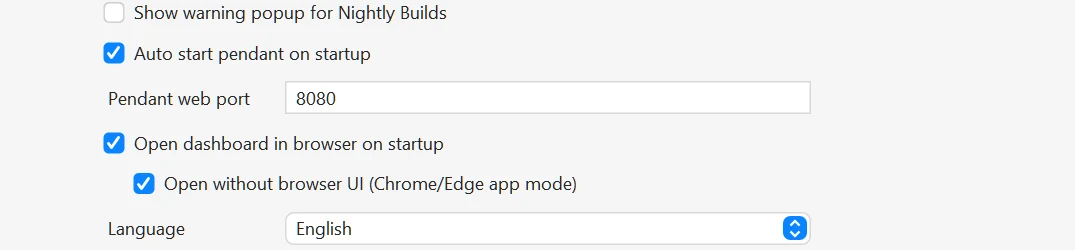
For a dedicated machine computer or touchscreen, that means one less step between launching UGS and reaching your control screen.
Connect to your machine
Use the connection controls at the top of the Dashboard to pick your port, baud rate and firmware, then connect. The wide layout puts machine position and jogging on the left, the working area in the center, and macros and machine controls on the right. On narrow screens the Dashboard switches to tabs for Position, Program and Machine.
Not ready to connect a machine?
The live demo runs the Dashboard against a simulated machine in your browser, so you can explore safely first.